

ShowMe WorldCare End User Manual
Reassigning a Case from Another Jurisdiction
Sometimes an agency may become aware of a case which it needs to work but that is assigned to a different agency or perhaps not assigned to any agency yet. In prior systems, an agency could see which other agency a case might be assigned to but could not edit it. This required one agency to contact the assigned agency to transfer the case. This sometimes resulted in delays in public health action or assisting patients.
ShowMe WorldCare works differently, in that an agency is blocked from seeing cases/contacts not currently assigned to it. Although this is an important security/privacy measure, it is recognized that reportable conditions do not always respect jurisdictional boundaries. To remove barriers in accessing information in order to help patients and allow public health action, ShowMe WorldCare uses an Unlock feature which allows agencies to access records outside their own jurisdiction in limited situations if needed. This type of access requires a justification to be entered.
For example, patient Johnny Appleseed contacts Training Health Department (THD) with questions about his recent diagnosis of COVID-19. When THD staff search for Johnny’s record, they find a person record but do not see any conditions attached to it. The address column reveals that the patient has an address of Jefferson City. This means it is likely that Johnny’s case may be assigned to the Cole County Health Department. Also, there is a note which states “There are some masked or read-only records you are not authorized to access or edit. You may click on the Unlock button if you need to request them.”
As a courtesy, THD may wish to contact Cole County Health Department about the case. However, when they ask Johnny about his current address, he indicates that he no longer lives in Jefferson City but has recently moved to Training City. With this new information, THD staff decide to unlock the record since it appears the record was incorrectly assigned due to an outdated address.
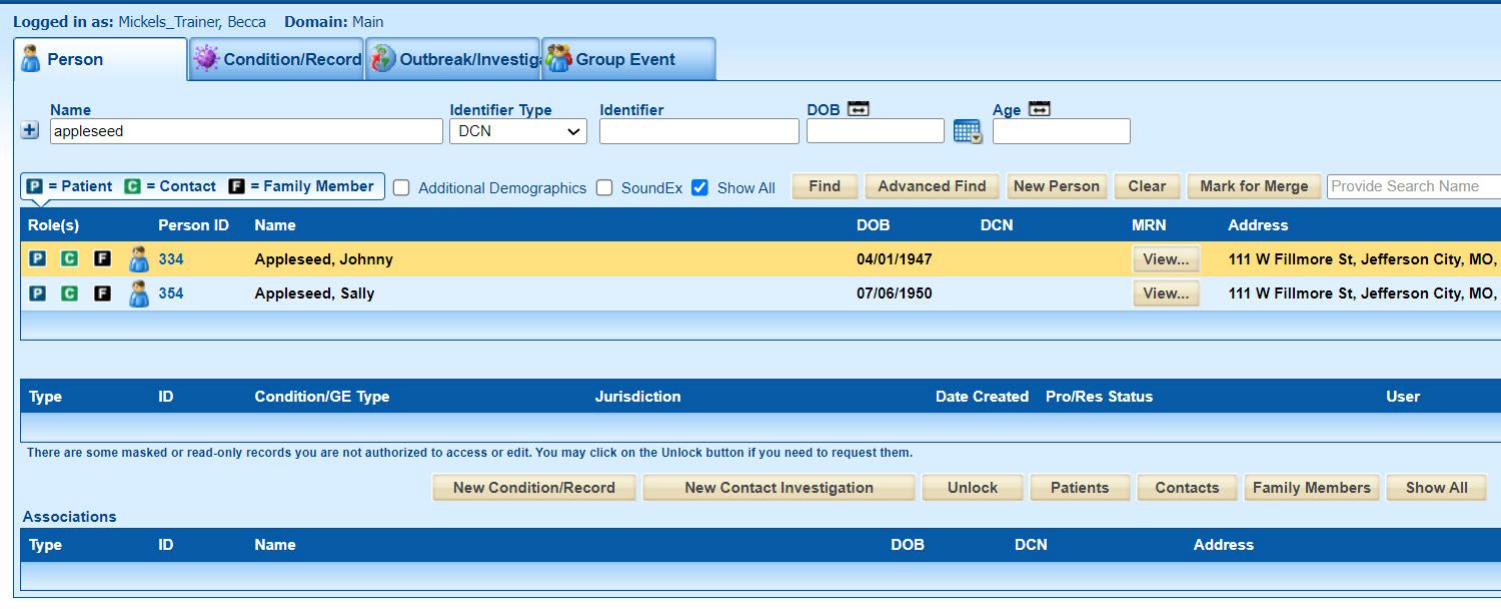
Clicking the Unlock button opens the Masked Record Log pop-up. THD staff choose the “Person has moved jurisdictions” option under Reason and add details in the Comments box.

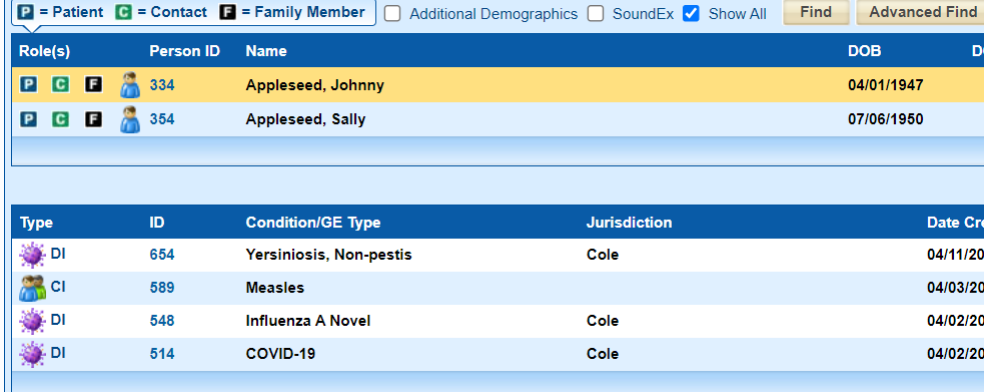
THD staff click OK to close the pop-up and unlock the record, then click on Johnny’s Person ID in the search results. They are now able to see that Johnny has several records. Since he expressed concern about COVID-19, they open that condition.
Within the condition record, THD staff click on the drill-down next to the Zip code field to access the Multiple Addresses screen, where they can add Johnny’s new address in Training City.

If the assigned jurisdiction does not automatically update, they can make that change on the Administrative tab. In a situation such as Johnny now living in Training City but still working in Jefferson City, THD could consider whether Cole should be assigned as a Secondary Jurisdiction so that both agencies could assist with monitoring his case.
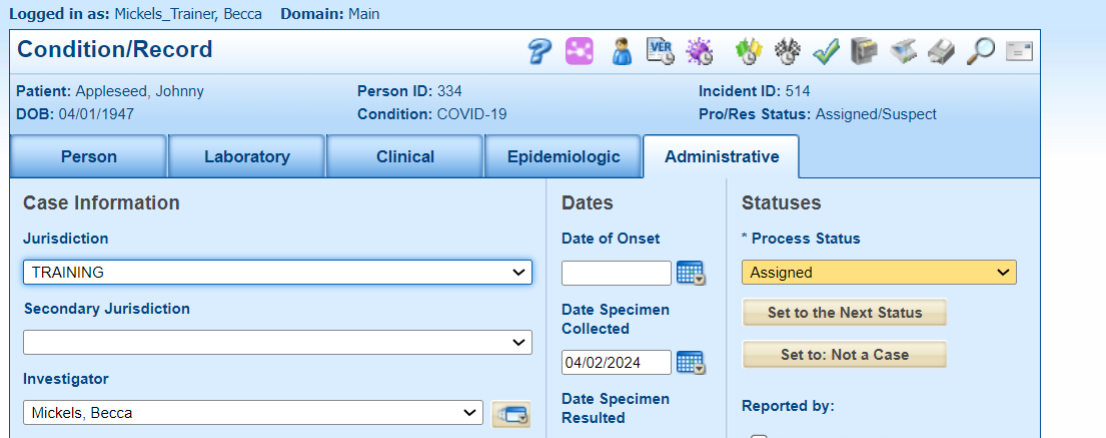
Suppose staff at Cole County Health Department had noticed Johnny’s record and wondered why it was no longer assigned to them. When the Unlock feature is used, the originally assigned jurisdiction is still able to view the record in their search results. The screenshot below was taken from an account with Cole jurisdiction settings. Notice that Johnny’s COVID record is still visible to Cole staff but is grayed out and the jurisdiction has been changed to TRAINING. Cole staff can still enter the record to view it but will not be able to edit it unless THD had assigned Cole as the Secondary Jurisdiction.

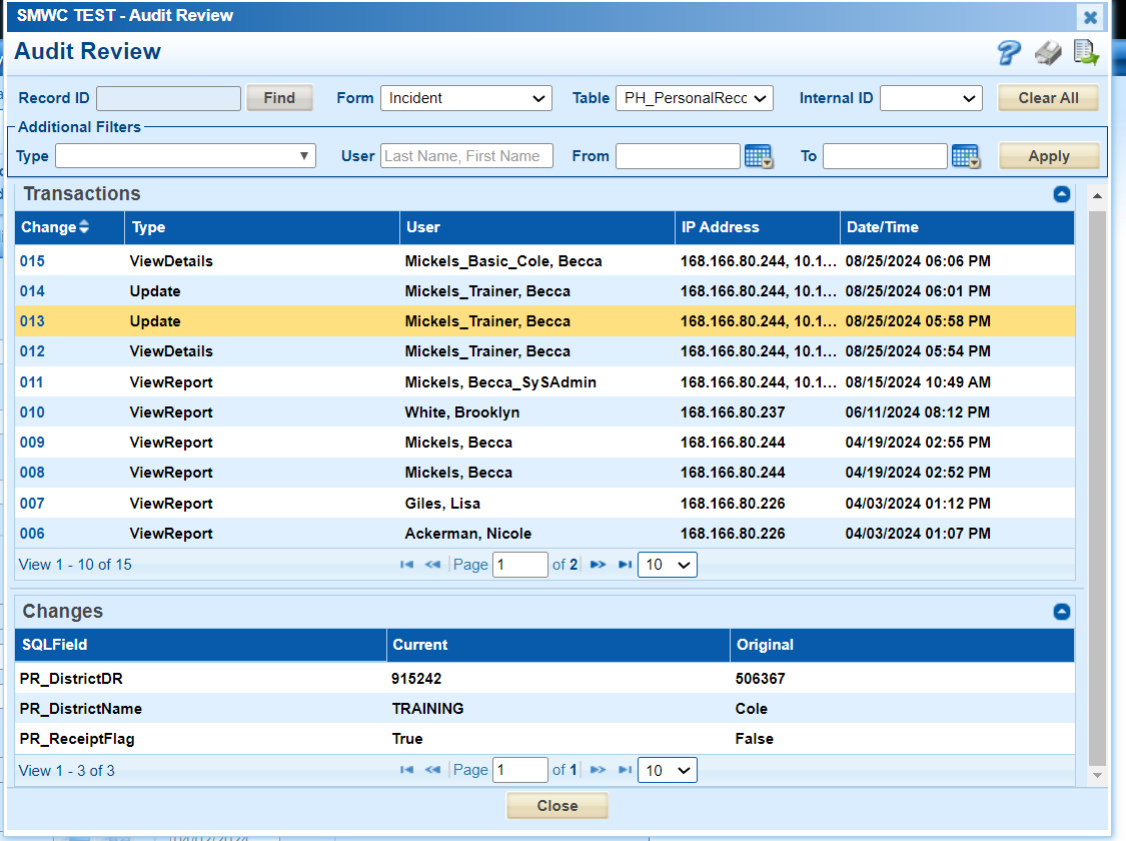
Another method of determining if a case has been reassigned is clicking on the audit icon (magnifying glass) in the upper right corner of the condition record. Once in the audit screen, set Form to Incident and Table to PH_PersonalRecord, then click Apply. The Transactions table shows that the record was updated to change the jurisdiction (listed in the Changes table as PR_DistrictName) from the Original Cole to the Current Training.
Additionally, DHSS system administrators can access the Masked Record Log to review the justification entered on a particular record if needed. This is not being made available to general users as there is not a way to limit the screen by jurisdiction or condition group.

Another situation in which the Unlock feature can be very useful is when a patient enters the system with no address. When that occurs, the patient is assigned to the jurisdiction “No census tract match” as there is no address. DHSS monitors this jurisdiction to perform address searches and reassign cases as quickly as possible but there may be times when the local agency becomes aware of a case before DHSS has an opportunity to make the change.
In this example, patient Millicent Hagerston contacts Training Health Department (THD) with questions about her recent diagnosis of COVID-19. When THD staff search for Millicent’s record, they find a person record but do not see any conditions attached to it. However, there is the note which states “There are some masked or read-only records you are not authorized to access or edit. You may click on the Unlock button if you need to request them.” Millicent is well known to THD staff as she has lived in the area for years. They also notice that her address is listed only as MO on the search screen, so they decide to unlock her record.

Unlocking the records reveals that Millicent has both a Condition (DI) record and a Contact Investigation (CI) record for COVID-19.

THD staff can now open Millicent’s records, add the correct address and update the assigned jurisdiction.