
You can access your Patient or Caregiver Identification (ID) Card via your Missouri Medical Marijuana Program Registry account (MMMP). Registered patients and caregivers are required to have their ID card available when purchasing or in possession of medical marijuana.
- Log into your MMMP Registry account at mo-public.mycomplia.com
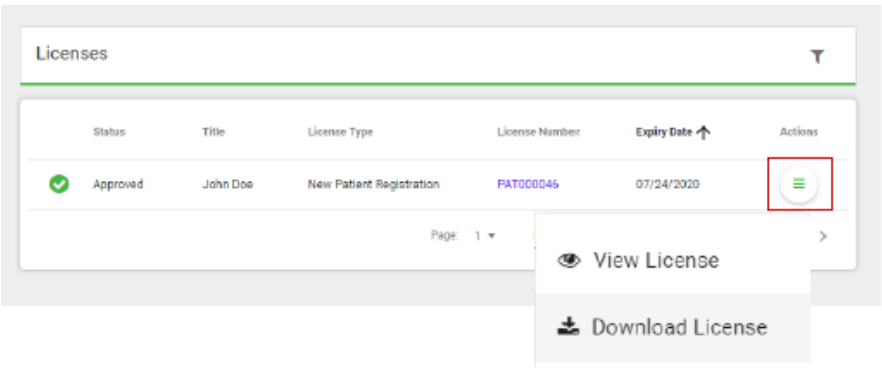
- ID cards for approved licenses can be accessed from the homepage by going to the “ACTIONS” column to the far right of the screen.
- Click on the button underneath “ACTIONS”,
- Select “DOWNLOAD LICENSE”, and
- Save a copy of your digital ID card to your device and print it off for your records as the Department of Health and Senior Services will not be providing physical cards.