Connect with Me App Help

Contact

Connect with Me
Missouri Department of Health and Senior Services
PO Box 570
Jefferson City, MO 65102-0570

Phone: 573-522-2820
Email: connect@health.mo.gov

We'd love to hear from you! Share your experience using the app with us!

Having trouble using the app? Contact us for help at connect@health.mo.gov or call 573-522-1285.


Instructions for how to delete an account in the Connect with Me App:

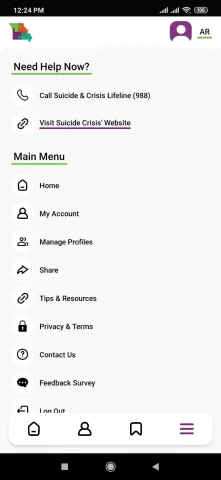
  1. Go to My Account

    Go to My Account
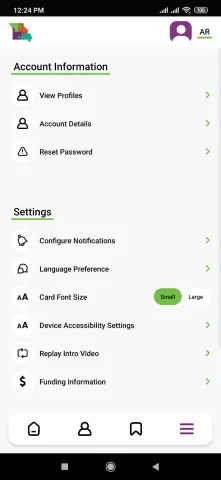
  2. Open the Account Details screen

    Open the Account Details screen


  3. Tap the red 'Delete my Account' button
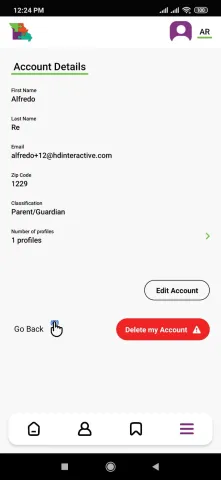
    Tap the red 'Delete my Account' button


  4. Once you get to the confirmation screen, tap the button that says 'Permanently delete my Account'
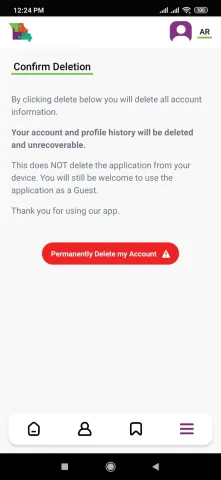
    Once you get to the confirmation screen, tap the button that says 'Permanently delete my Account'


  5. A last confirmation alert shows up, tap 'Delete my Account’

    A last confirmation alert shows up, tap 'Delete my Account’